INTELINVEST PERSONAL FINANCE
See where your money goes. Plan what comes next.
Plan budgets, track income and expenses, and follow your assets, liabilities, and investments on desktop and mobile.
01 / BUDGET PLANNING
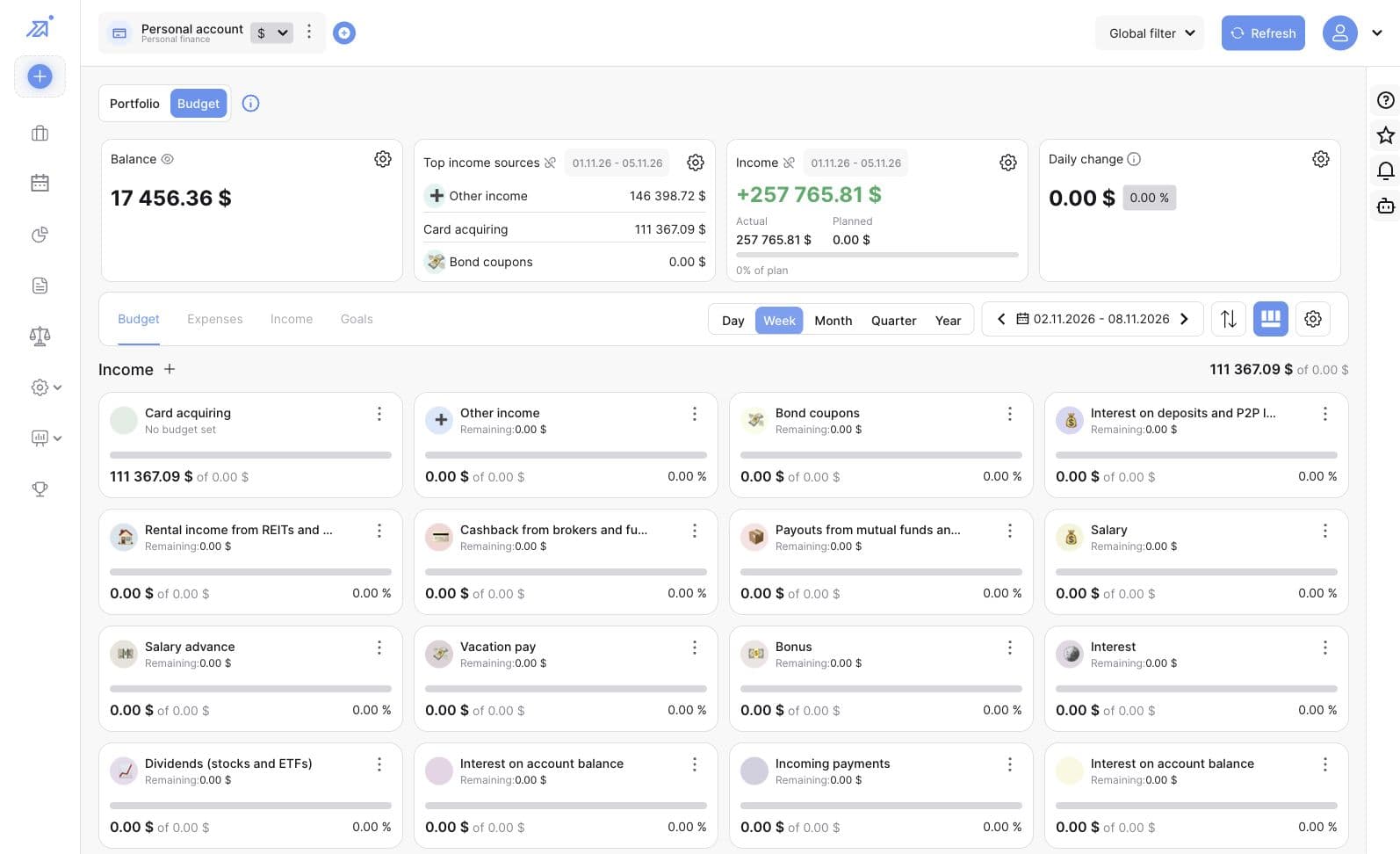
Plan your budget.
See your balance, plan income and spending by category, and compare your plan with what actually came in and went out.
- Review planned, actual, and remaining amounts
- Check your budget by day, week, month, quarter, or year
- Set a savings goal with a target amount and dates
02 / TRANSACTION REPORTS
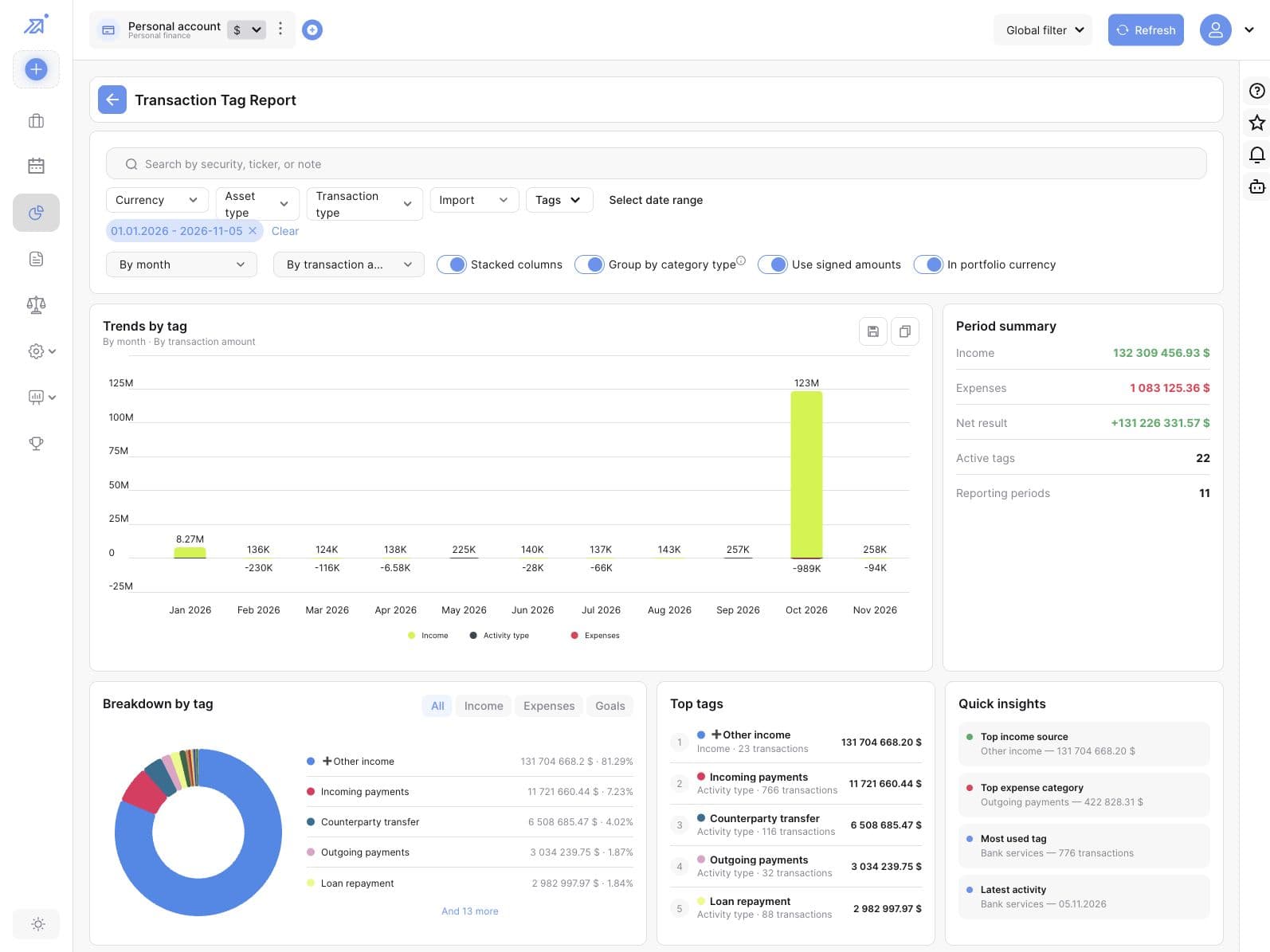
Understand your transactions.
Use tags to see where your money comes from and where it goes. Follow changes over time and review the categories that account for the most activity.
- Filter transactions by tag, period, asset, or operation type
- View trends by transaction amount or trade profit
- Compare income, expenses, and net results for the period
03 / MOBILE TRANSACTIONS
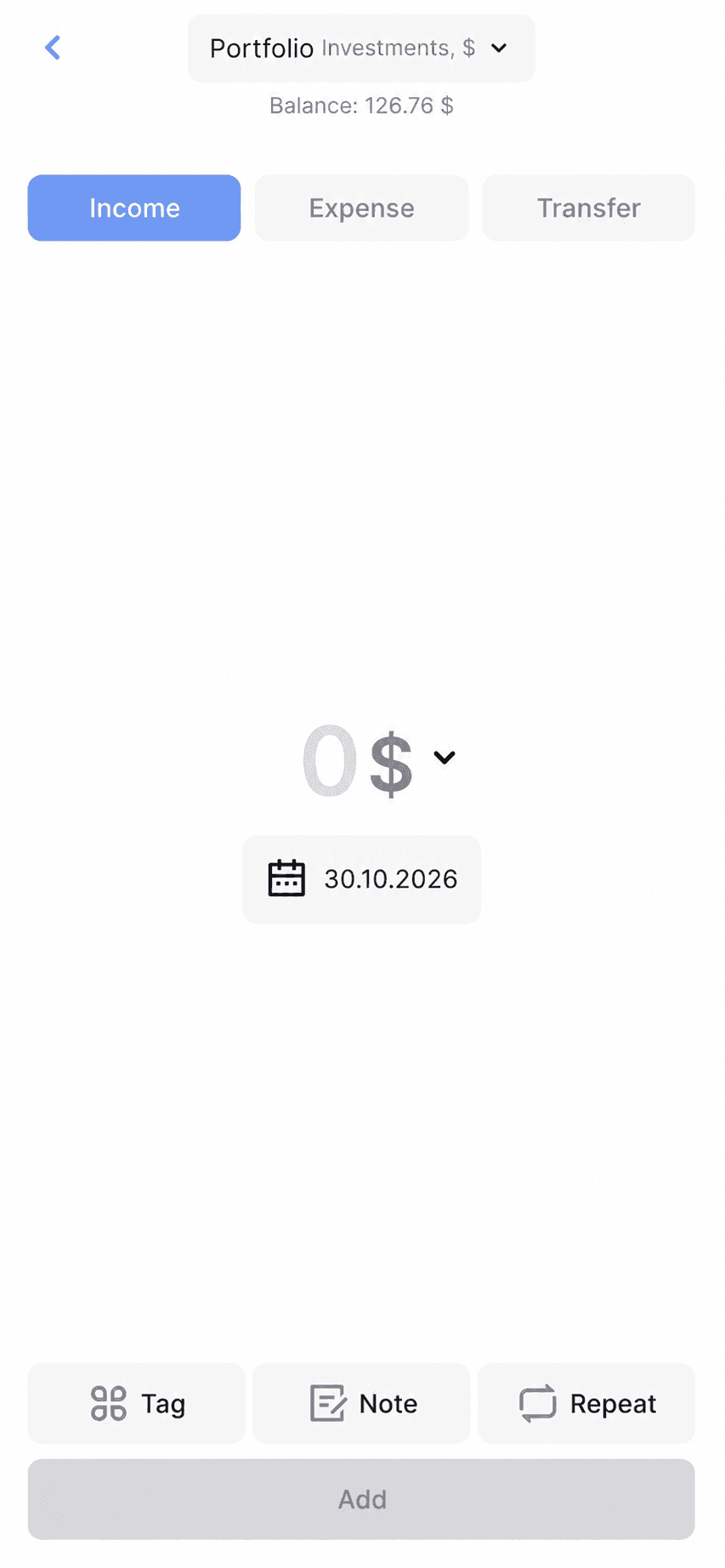
Log transactions on the go.
Record income, expenses, and transfers from your phone. Add the details that will help you find and understand each transaction later.
- Choose an account, amount, and date
- Add a tag or note
- Set a repeat schedule for recurring transactions
INTELINVEST PERSONAL FINANCE
Make time for the bigger picture.
Explore how IntelInvest brings your budget, transaction history, and investments together.
Book a demo